L410 LED Patterns
Last updated: August 10, 2026
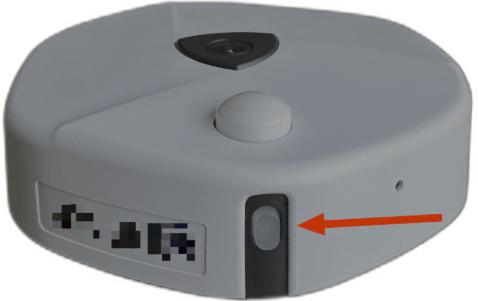
LED Button
The table below describes the LED patterns, behavior, and their meaning for the L410 wireless sensor.
| LED Color | LED Activity | Meaning |
| None | Off | The sensor is off, or there is no active LED indication at that moment |
| Red, Green, Blue | Cycle repeats twice | The sensor is powering on |
| Green | Slow flashing | The sensor successfully connected to the gateway |
| Red | Slow flashing | The sensor did not connect to the gateway |
| Yellow | Quick flash when button is pressed | The button press was registered |
| Red | Rapid flash, then LED turns off | The sensor is powering off |
Note: The sensor shows connection-status LED behavior only during the first 5 minutes after power-on. After that, the LED will remain off even while the sensor is powered on, so please use the dashboard to confirm sensor connectivity status.