Neighborhoods
Last updated: August 10, 2026
Overview
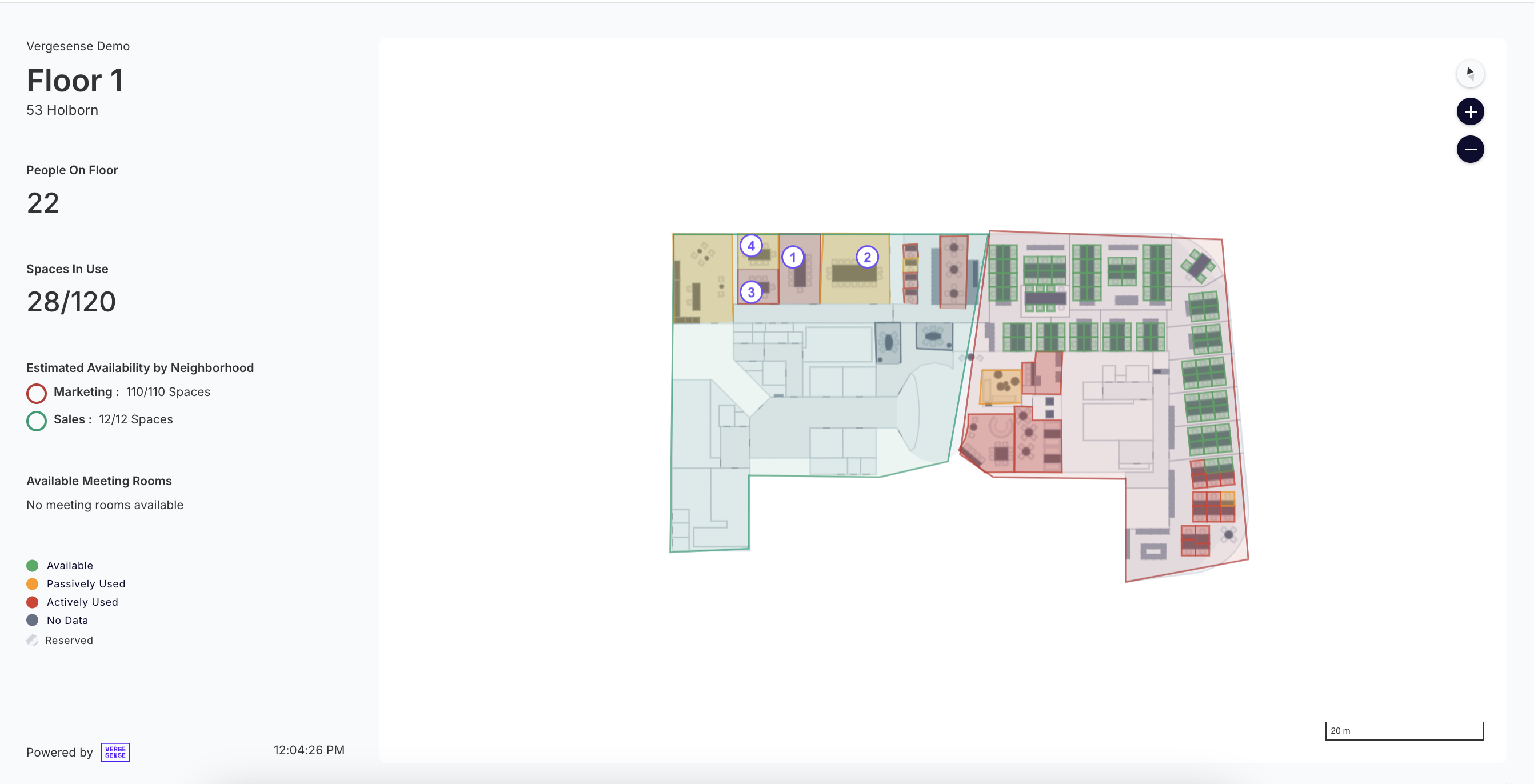
Neighborhoods allow you to define and manage large areas of a floor using Entryway or Wi-Fi person counts. You can also utilize Neighborhoods to easily display business unit work areas on Kiosk Views.
When to use Neighborhoods
Utilize Neighborhoods when:
- You'd like to physically define a large area of a Floor and utilize VergeSense's entryway solution or Wi-Fi solution for occupancy intelligence analytics
- You'd like to display Neighborhoods and the spaces within Neighborhoods on Kiosk Views
Note: A space can only be part of one neighborhood.
Utilize Space Groups when:
- You'd like to assign an attribute (special equipment, use type, etc) to a space to better understand how Spaces with that attribute are being used
Note: A space can be a part of one or many Space Groups
Neighborhood Creation
Admins can create, edit, and delete Neighborhoods by Navigating to Settings --> Neighborhoods.
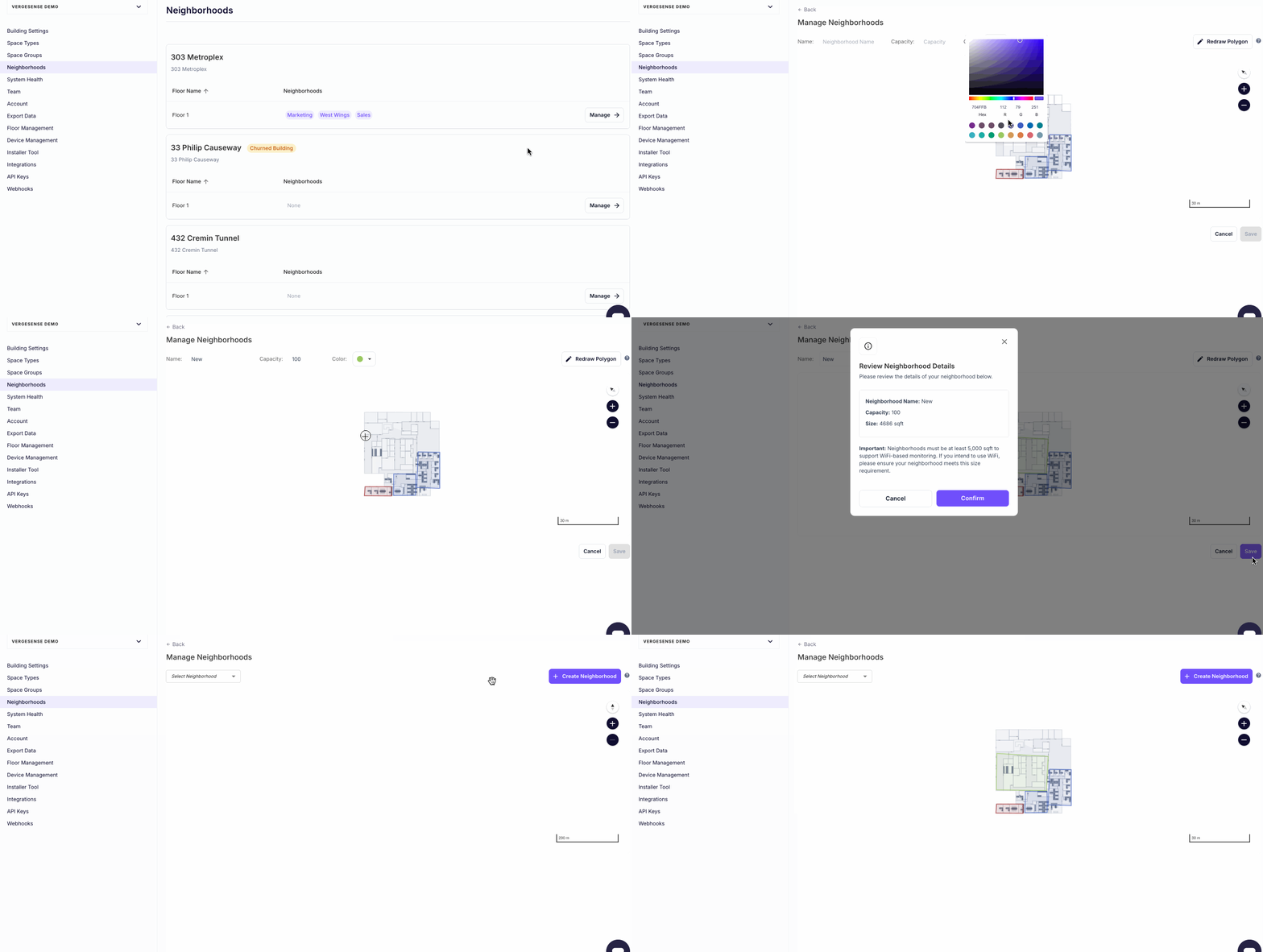
Note: If you would like to utilize the VergeSense Entryway solution to track person count in a neighborhood, please contact your Customer Success Manager. This requires assigning a device to accurately measure the Entries and Exits of the Neighborhood.
Neighborhood Analytics
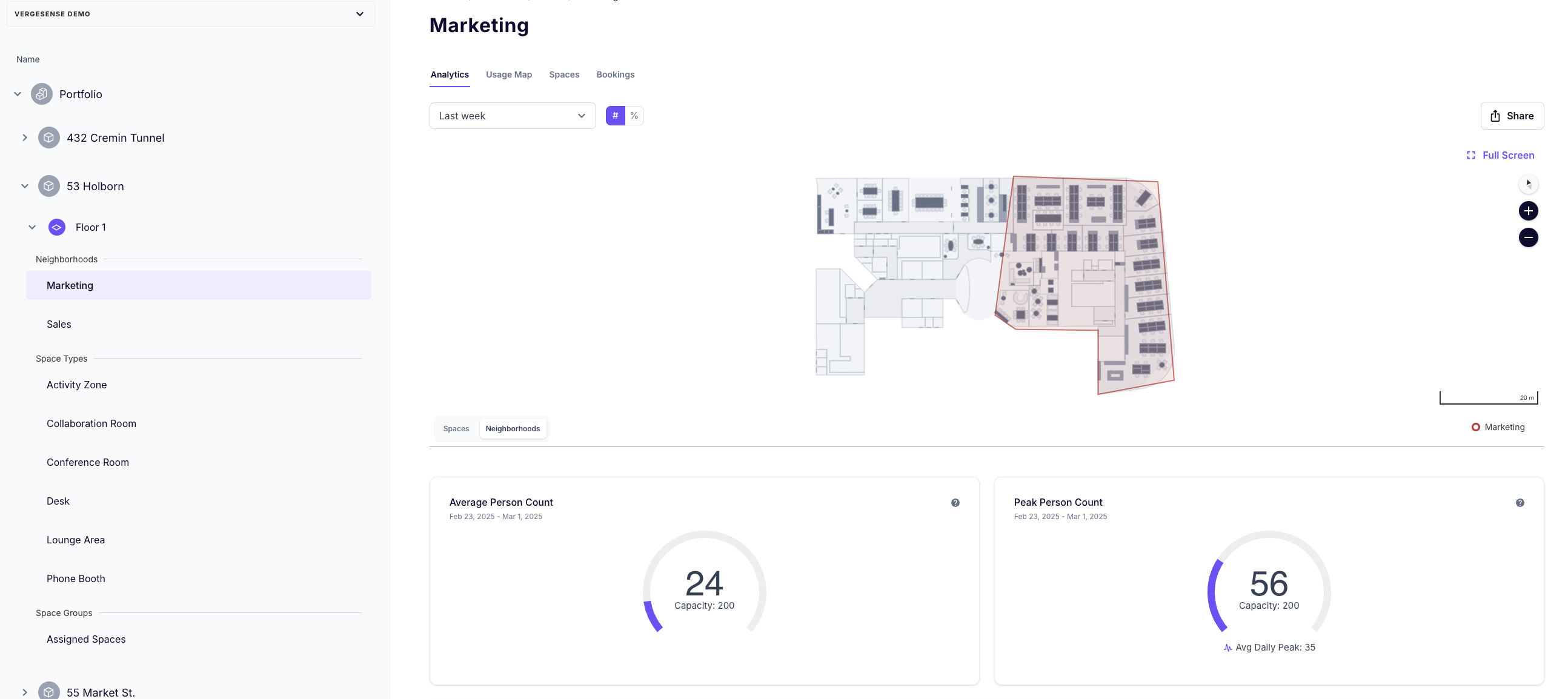
Understand how Neighborhoods are being utilized by viewing them on a Floor (select the Neighborhoods tab to view all Neighborhoods on a floor) or to the Neighborhoods sub-section under a floor. If a Neighborhood has Spaces also measured by VergeSense, you can select "Spaces" on the Floorplan map to view the Spaces that are contained within the Neighborhood.
Wi-Fi Enabled Neighborhoods
Neighborhoods larger than 5,000 square feet can also be measured with Wi-Fi. Contact your Customer Success Manager to discuss setting up Wi-Fi enabled Neighborhoods.
Kiosk View of Neighborhoods
Learn more about how to create Kiosk links in the Live View and Kiosk Feature Overview article.